🚀 [멤버십]
상위 1% 수익률 도전! 코인 텐베거 클럽 가입하기 →
1.솔리디티 소스
// SPDX-License-Identifier: MIT
pragma solidity ^0.8.20;

contract Simple {
    string public val = "First Message"; // 초기값 설정

    function set(string memory _val) public {
        val = _val;
    }

    function get() public view returns (string memory) {
        return val;
    }
}
2. 웹 소스
<!DOCTYPE html>
<html lang="ko">
<head>
    <meta charset="UTF-8">
    <meta name="viewport" content="width=device-width, initial-scale=1.0">
    <title>Simple String dApp</title>
    <script src="https://cdnjs.cloudflare.com/ajax/libs/ethers/5.7.2/ethers.umd.min.js"></script>
    <style>
        body { font-family: sans-serif; text-align: center; padding: 50px; background-color: #f4f7f6; }
        .container { background: white; padding: 30px; border-radius: 15px; box-shadow: 0 10px 25px rgba(0,0,0,0.1); display: inline-block; min-width: 350px; }
        input { padding: 10px; width: 70%; margin-bottom: 10px; border: 1px solid #ddd; border-radius: 5px; }
        button { padding: 10px 20px; background-color: #007bff; color: white; border: none; border-radius: 5px; cursor: pointer; margin: 5px; }
        button:hover { background-color: #0056b3; }
        #status { color: #666; font-size: 0.9em; margin-top: 20px; }
        .value-display { font-size: 1.5em; color: #333; margin: 20px 0; font-weight: bold; }
    </style>
</head>
<body>

<div class="container">
    <h2>Simple dApp</h2>
    <p>블록체인에 메시지를 저장해보세요.</p>

    <button onclick="connectWallet()">1. 지갑 연결</button>
    <p id="account">연결된 계정: 없음</p>
    <hr>

    <div class="value-display">
        현재 메시지: <span id="currentVal">...</span>
    </div>
    <button onclick="getValue()">값 새로고침</button>

    <hr>
    <input type="text" id="newValue" placeholder="새 메시지 입력">
    <br>
    <button onclick="setValue()">2. 블록체인에 저장</button>

    <div id="status">상태: 대기 중</div>
</div>

<script>
    let contract;
    // [중요] Remix에서 배포한 컨트랙트 주소를 여기에 입력하세요
    const contractAddress = "0x739De3b093056389e78d75Cf1F1aB6FE3C03709b";

    // ABI: 컨트랙트의 함수 구조 (제공해주신 소스 기반)
    const abi = [
        "function val() public view returns (string)",
        "function set(string _val) public",
        "function get() public view returns (string)"
    ];

    async function connectWallet() {
        if (typeof window.ethereum !== 'undefined') {
            try {
                // 지갑 연결 요청
                const provider = new ethers.providers.Web3Provider(window.ethereum);
                await provider.send("eth_requestAccounts", []);
                const signer = provider.getSigner();

                // 컨트랙트 객체 생성
                contract = new ethers.Contract(contractAddress, abi, signer);

                const address = await signer.getAddress();
                document.getElementById("account").innerText = "연결된 계정: " + address.substring(0, 6) + "..." + address.substring(38);
                document.getElementById("status").innerText = "상태: 지갑 연결 완료";

                // 연결되자마자 현재 값 불러오기
                getValue();
            } catch (error) {
                console.error(error);
                alert("지갑 연결 중 오류가 발생했습니다.");
            }
        } else {
            alert("메타마스크를 설치해주세요!");
        }
    }

    async function getValue() {
        if (!contract) return alert("먼저 지갑을 연결하세요!");
        try {
            // get() 함수 호출 (가스비 발생 안 함)
            const message = await contract.get();
            document.getElementById("currentVal").innerText = message;
            document.getElementById("status").innerText = "상태: 데이터 로드 완료";
        } catch (error) {
            console.error(error);
        }
    }

    async function setValue() {
        if (!contract) return alert("먼저 지갑을 연결하세요!");

        const newVal = document.getElementById("newValue").value;
        if (!newVal) return alert("내용을 입력하세요!");

        try {
            document.getElementById("status").innerText = "상태: 트랜잭션 전승 중...";
            // set() 함수 호출 (가스비 발생, 지갑 팝업 뜸)
            const tx = await contract.set(newVal);

            document.getElementById("status").innerText = "상태: 블록 생성 대기 중...";
            await tx.wait(); // 블록에 포함될 때까지 대기

            document.getElementById("status").innerText = "상태: 저장 성공!";
            document.getElementById("newValue").value = "";
            getValue(); // 변경된 값으로 업데이트
        } catch (error) {
            console.error(error);
            document.getElementById("status").innerText = "상태: 오류 발생";
        }
    }
</script>

</body>
</html>
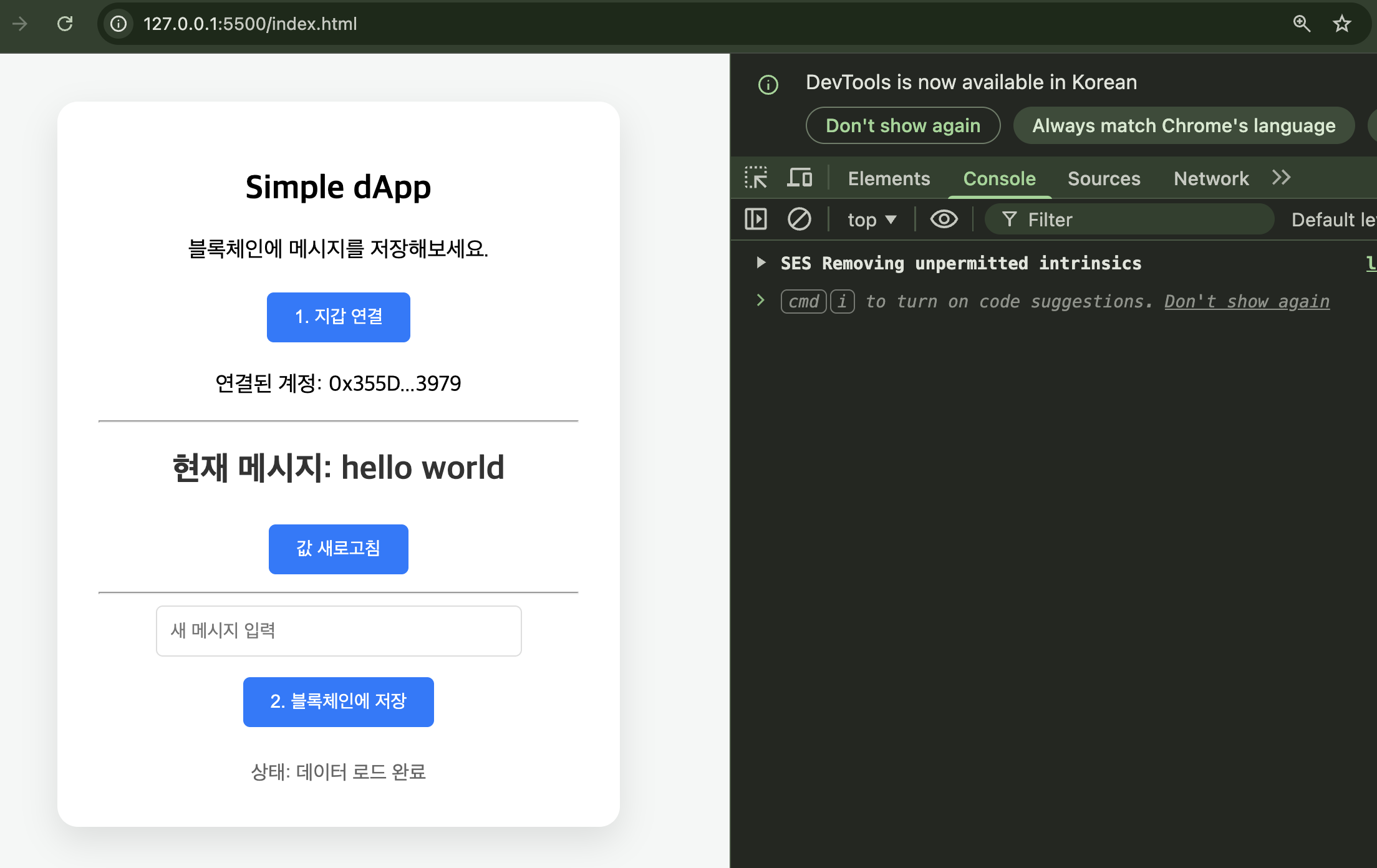
3. 실행화면


댓글